Alcedo Studio
Cross-Platform RAW Editor & Digital Asset Manager
Now supports Windows/CUDA and Apple Silicon
Key Features
Windows/CUDA & macOS/Metal Dual-Platform GPU Backend
Delivers 2K 300 FPS preview and 6K 60FPS rendering on modern GPUs while maintaining low memory footprint.
HDR Workflow & Modern Color Management
Supports HDR image editing on macOS and exporting Ultra HDR format JPEG files.
ACES 2.0 & OpenDRT
Supports ACES 2.0 and OpenDRT with one-click switching of 'color science'.
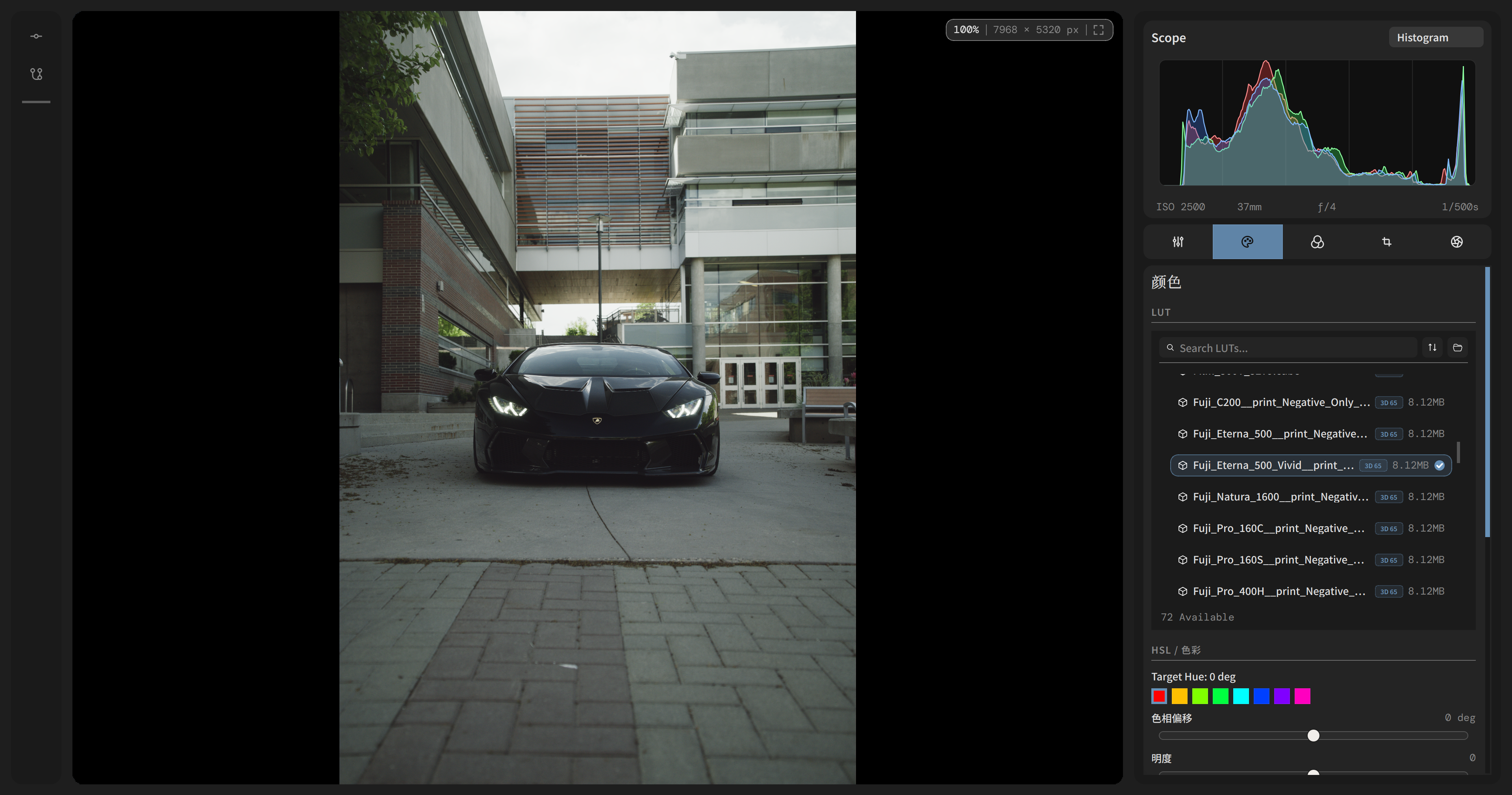
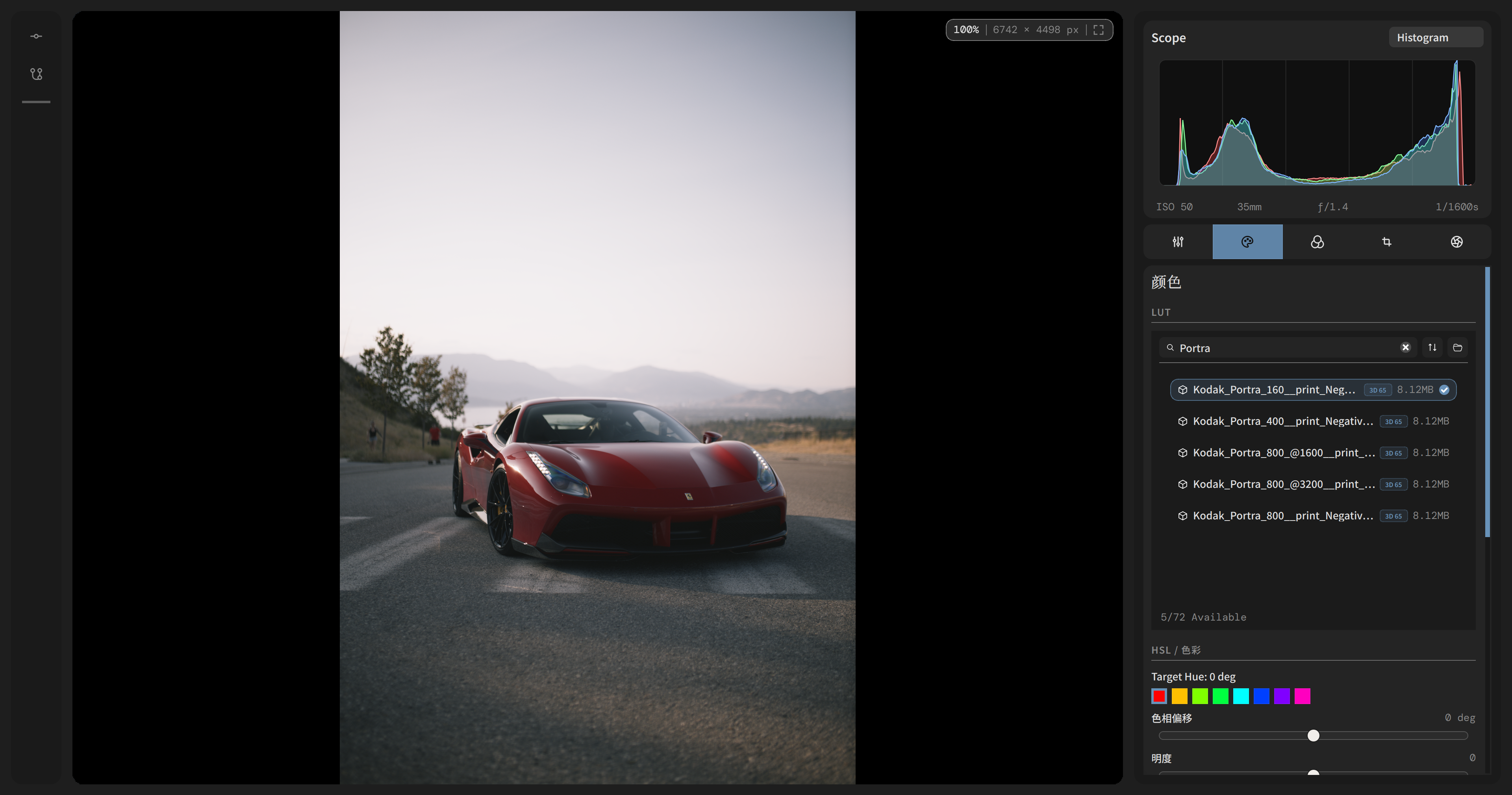
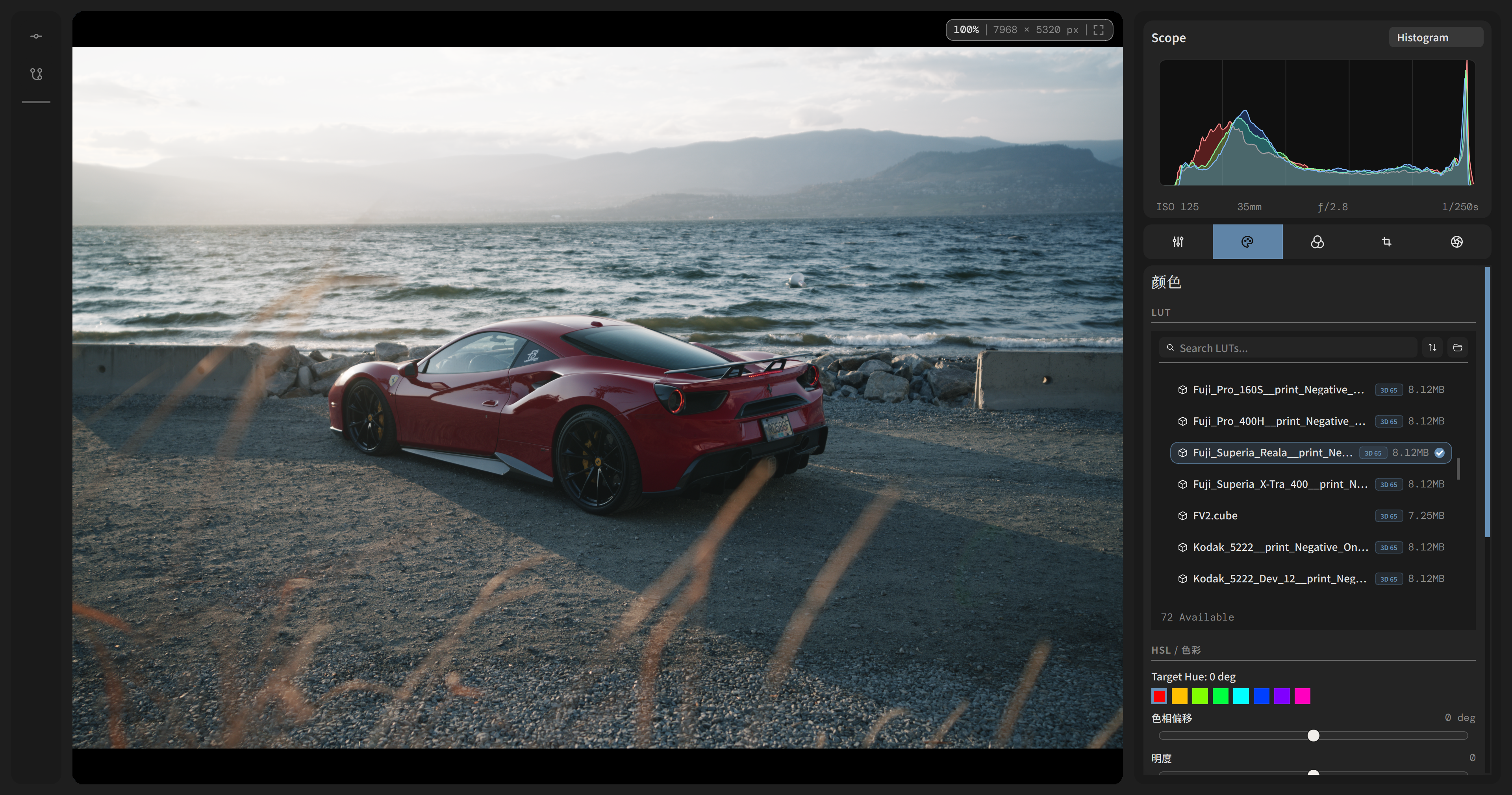
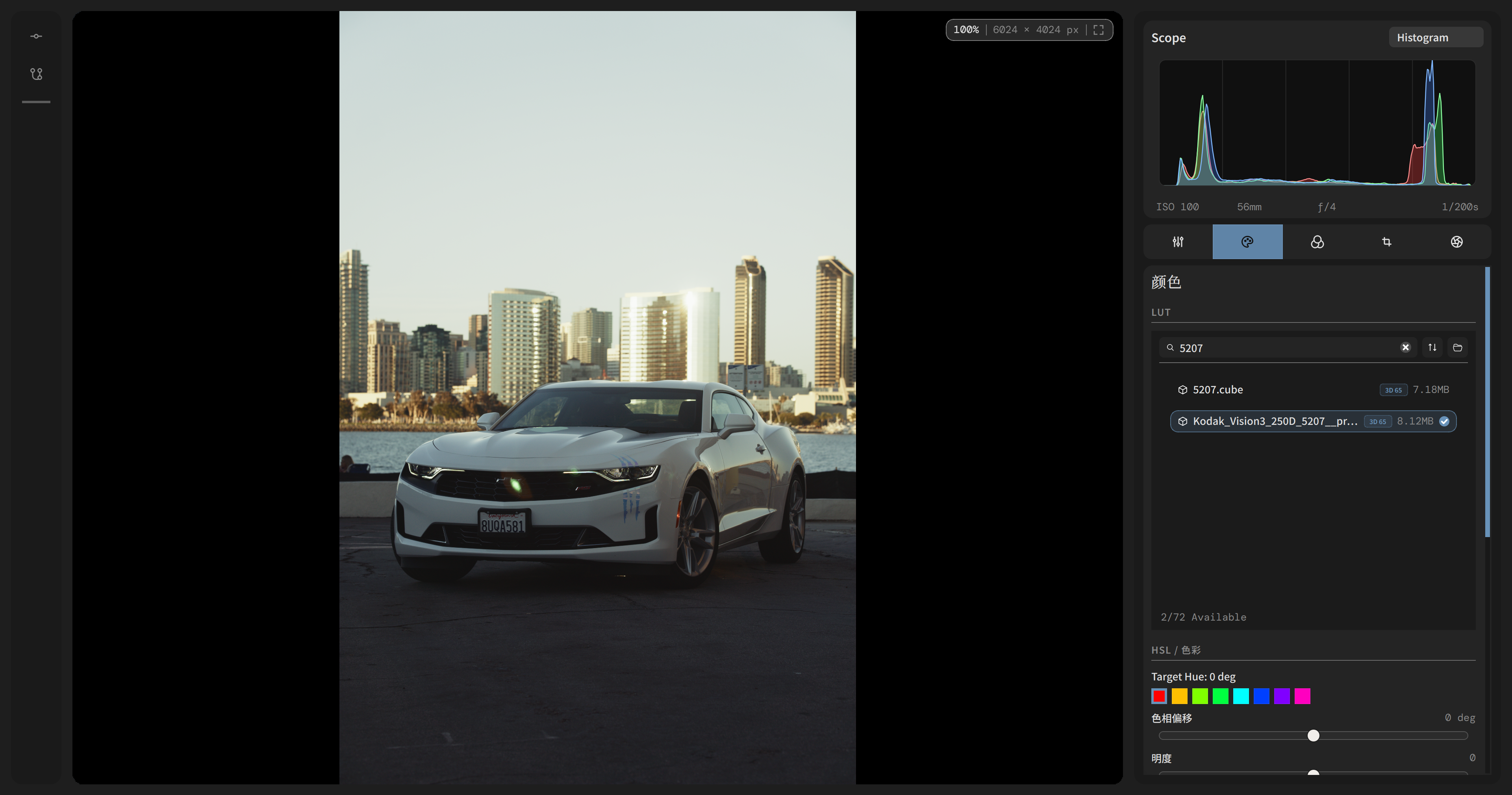
LUT Support
Supports .cube LUTs for creative color grading.
Responsive Library Workflow
Thumbnail waiting animations, faster high-resolution loading, folder browsing, filters, and in-project deletion make managing large collections smoother.
Versioned Editing
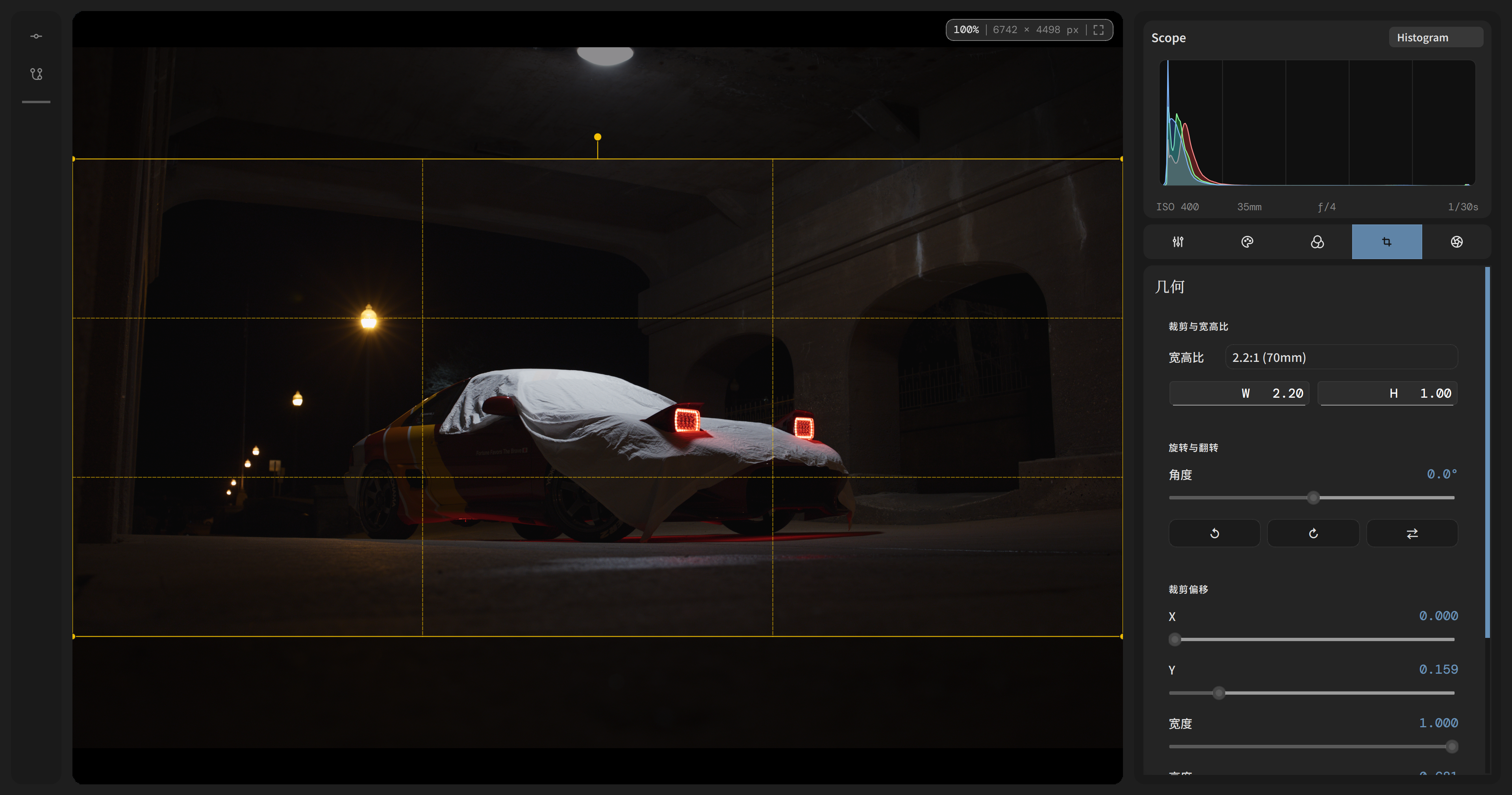
Reset adjustments for each image, branchable history, aspect-ratio selection, and the export queue form a complete non-destructive iteration path.
See It in Action
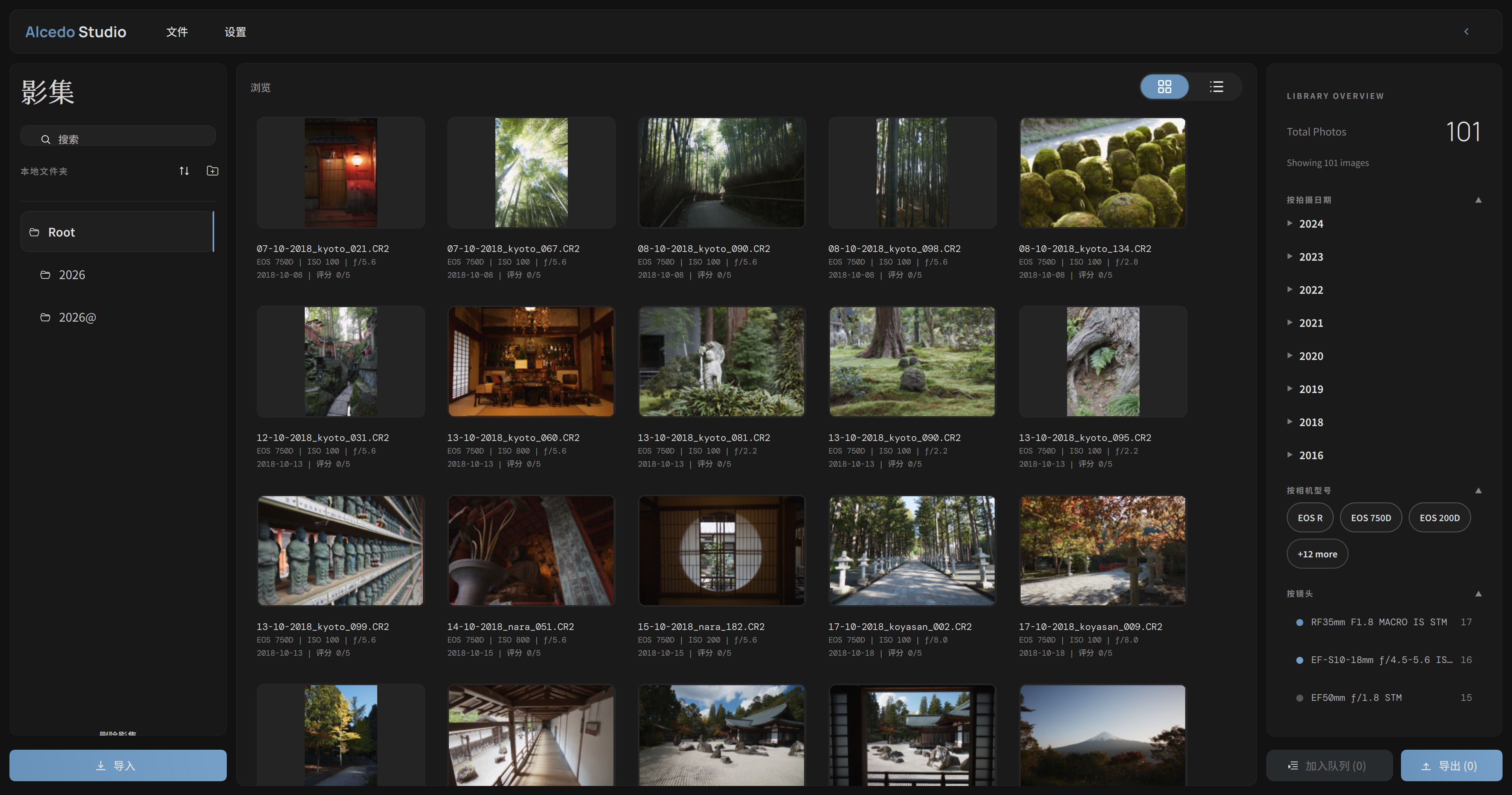
Library Browser
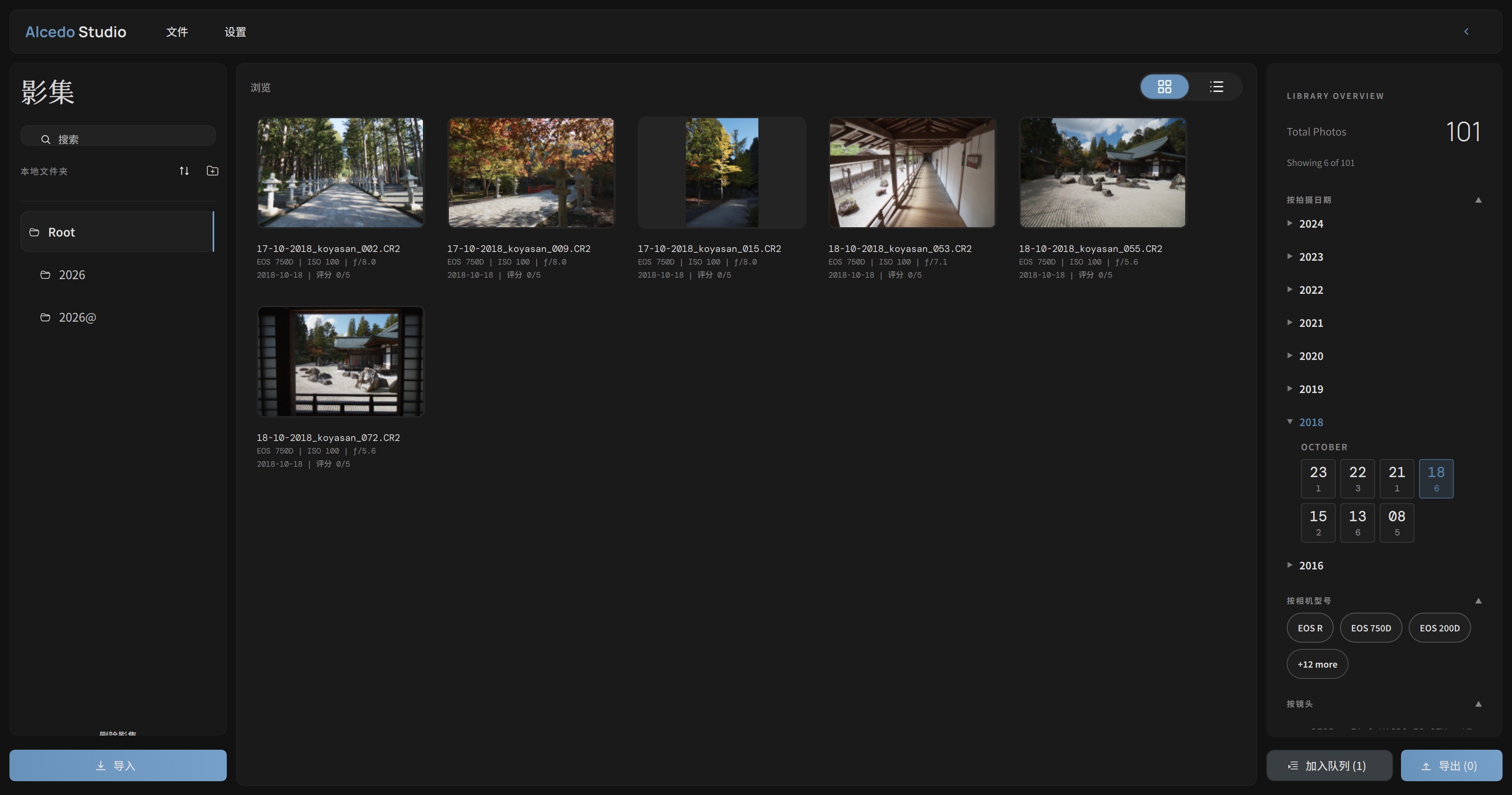
Folder tree, responsive thumbnail grid, and a live Library Overview panel with date / camera / lens facets keep large projects readable at a glance.
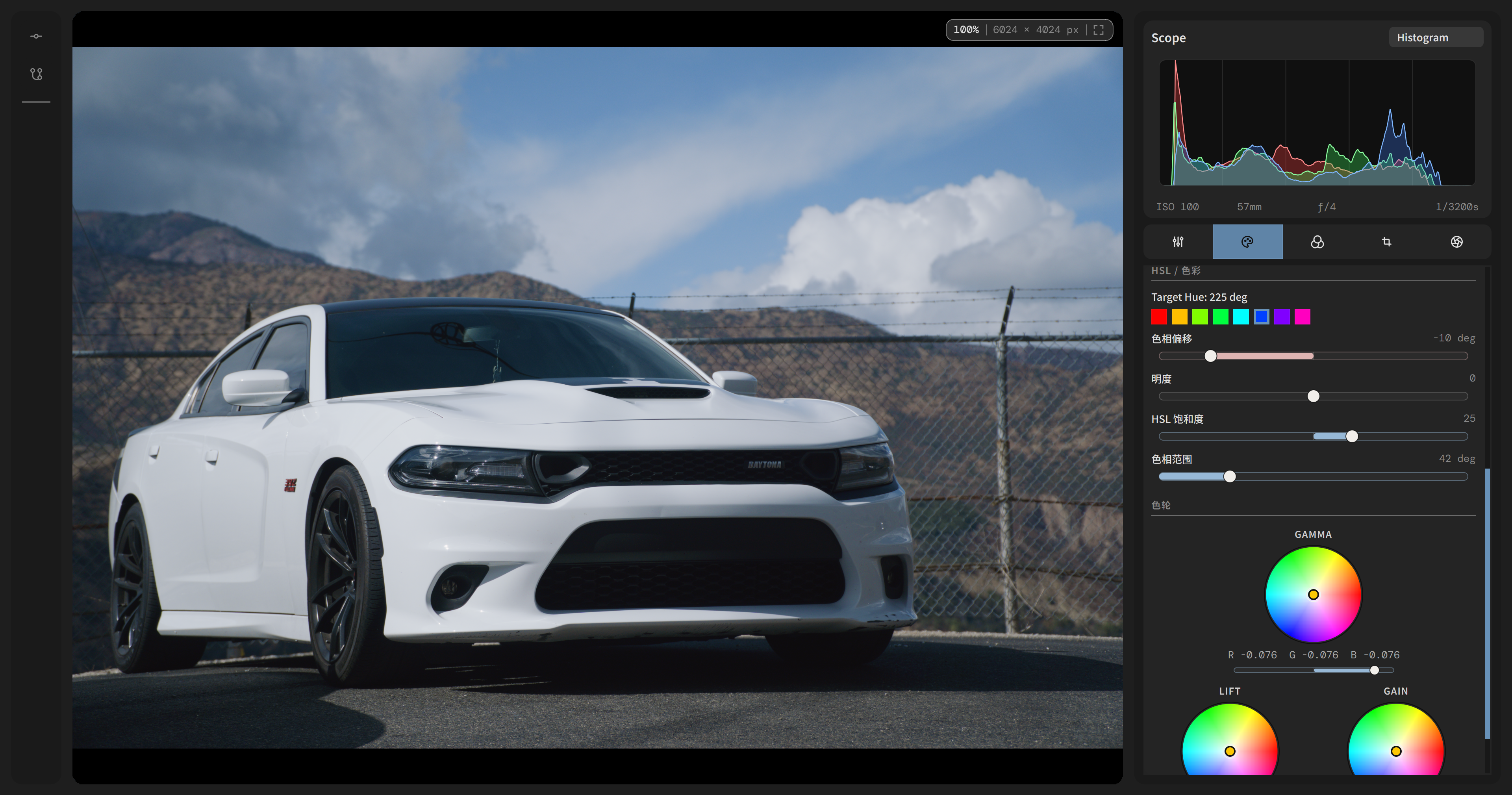
HSL & CDL Color Grading
HSL controls and CDL Lift / Gain wheels sit beside a live Waveform scope, so every hue, saturation, and tonal decision stays grounded in the actual pixels.
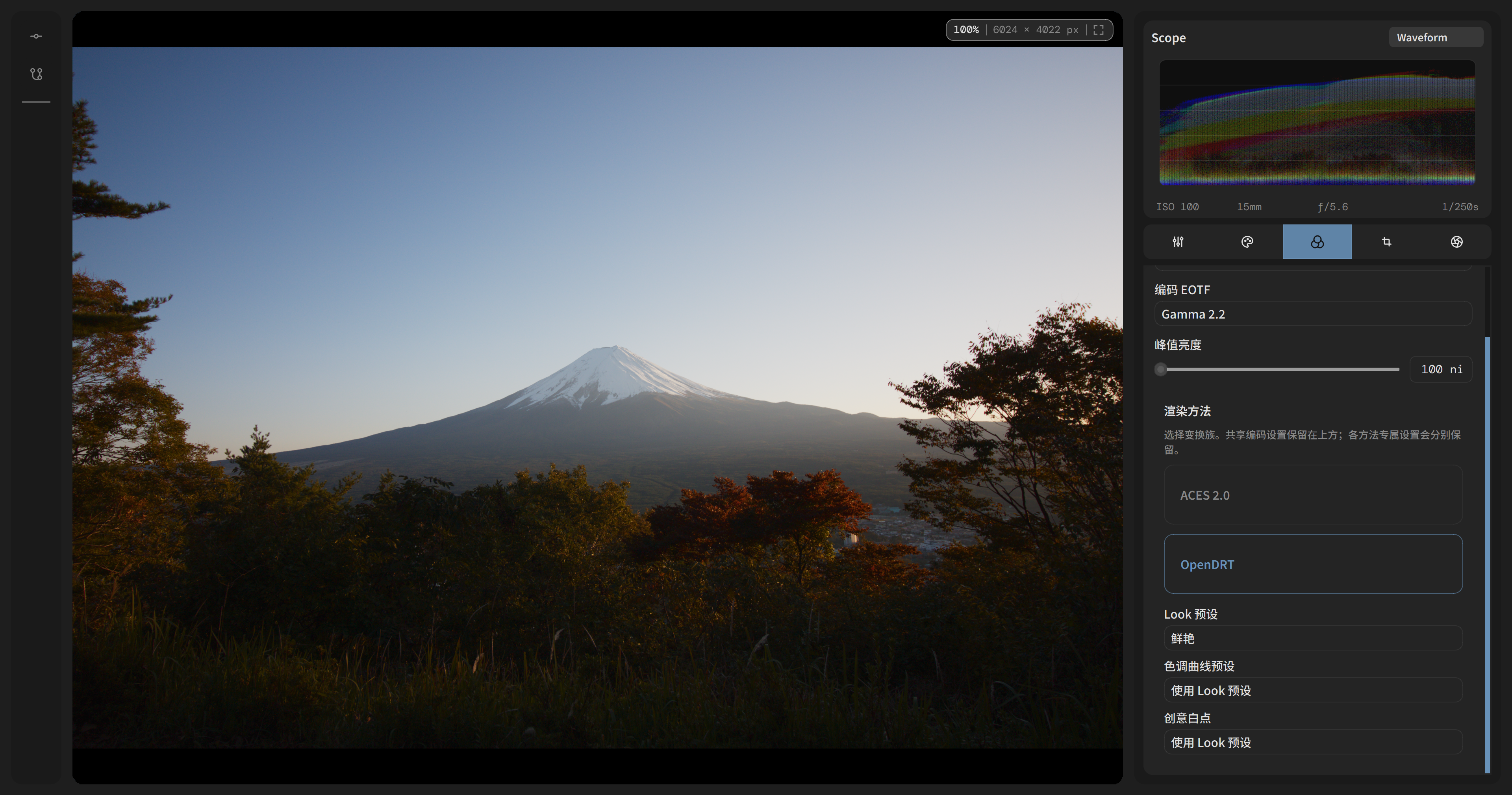
Custom Color Science
Switch between ACES 2.0 and OpenDRT rendering transforms, pick the display colour space (P3-D65, Rec. 709, …) and EOTF, and tune the target peak — the histogram updates in real time.
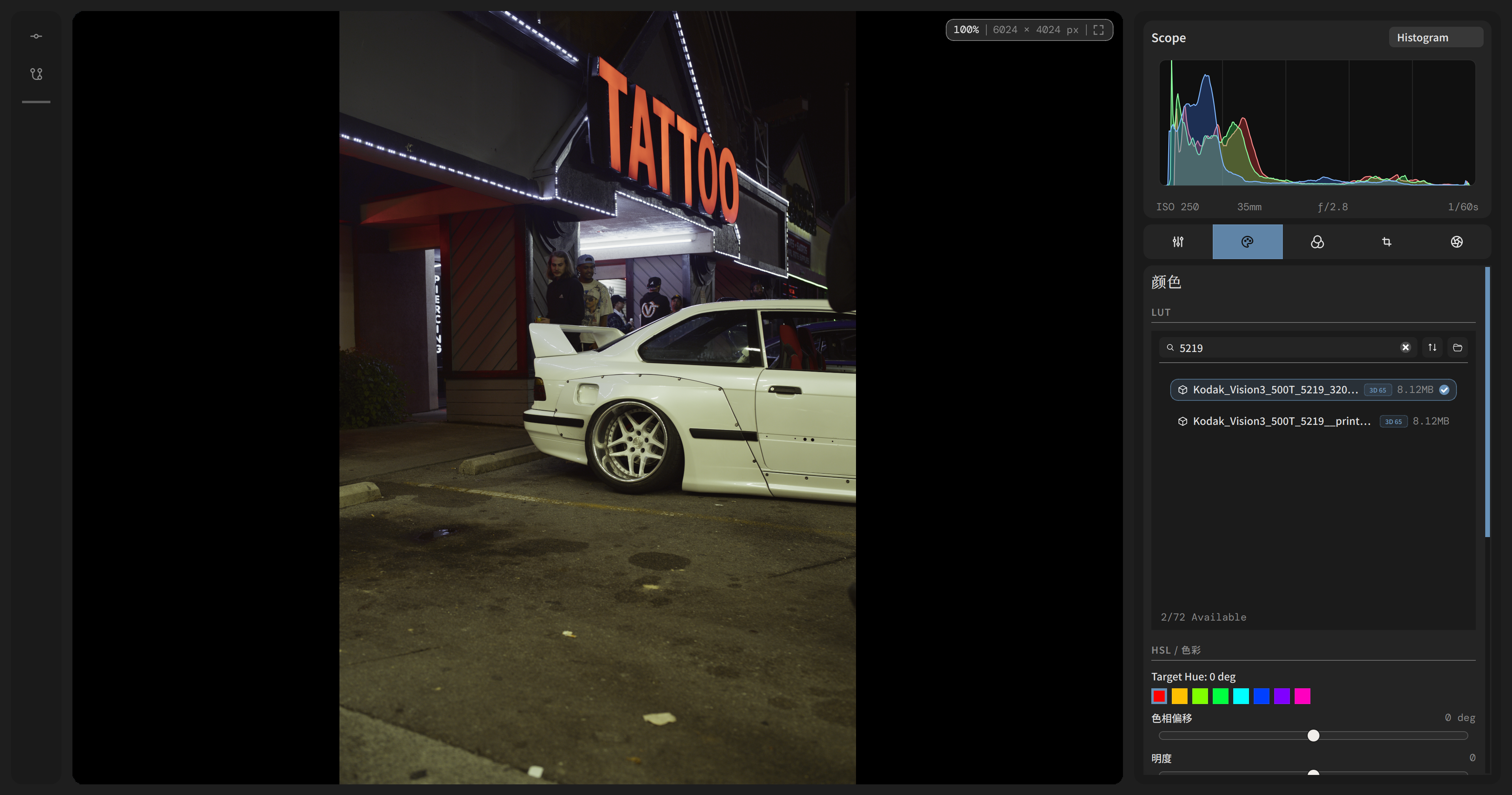
.cube LUT Library
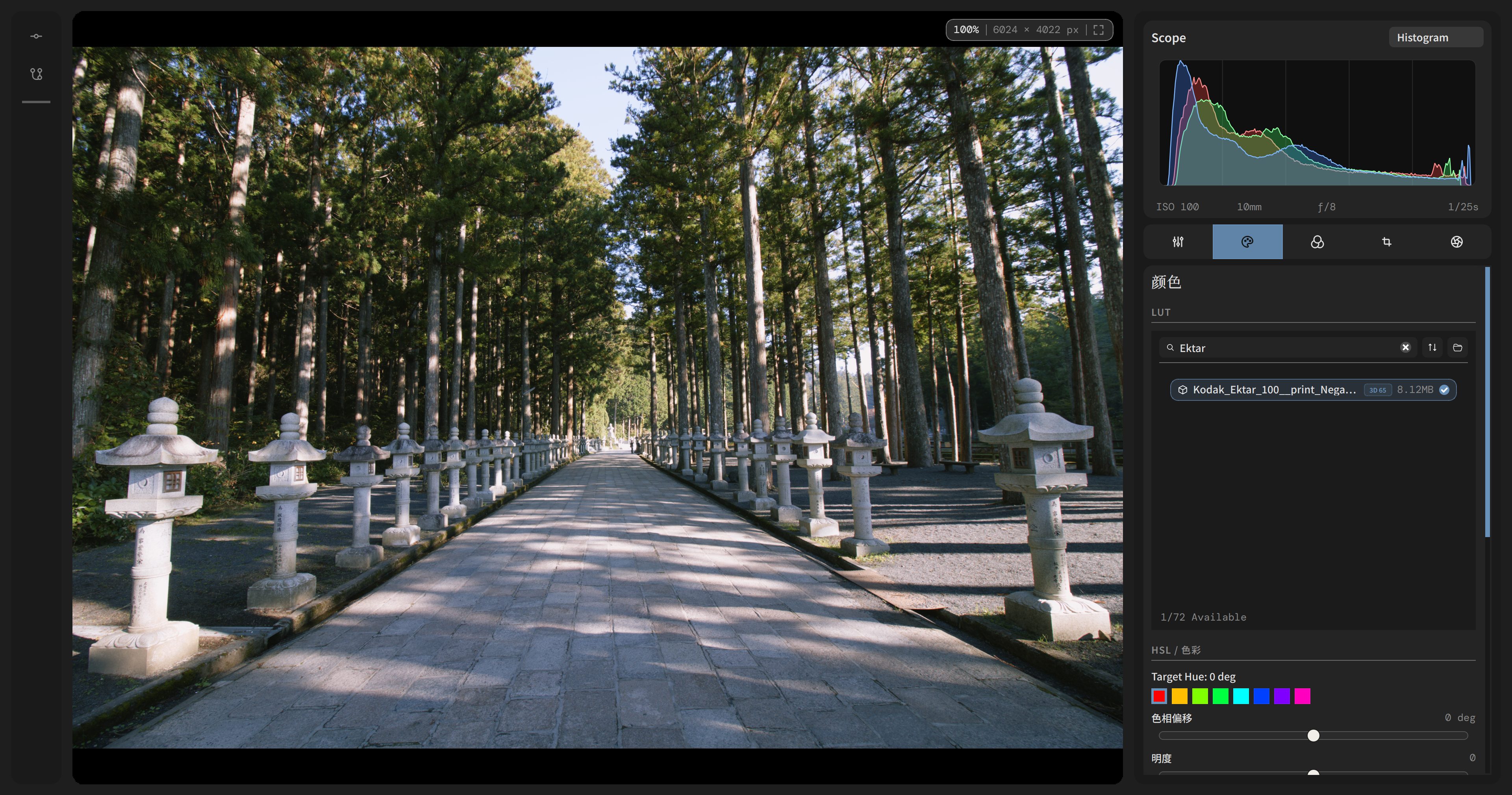
A filterable Look panel scans any folder of .cube LUTs, lets you search by name and refresh on demand so creative looks are one click away.
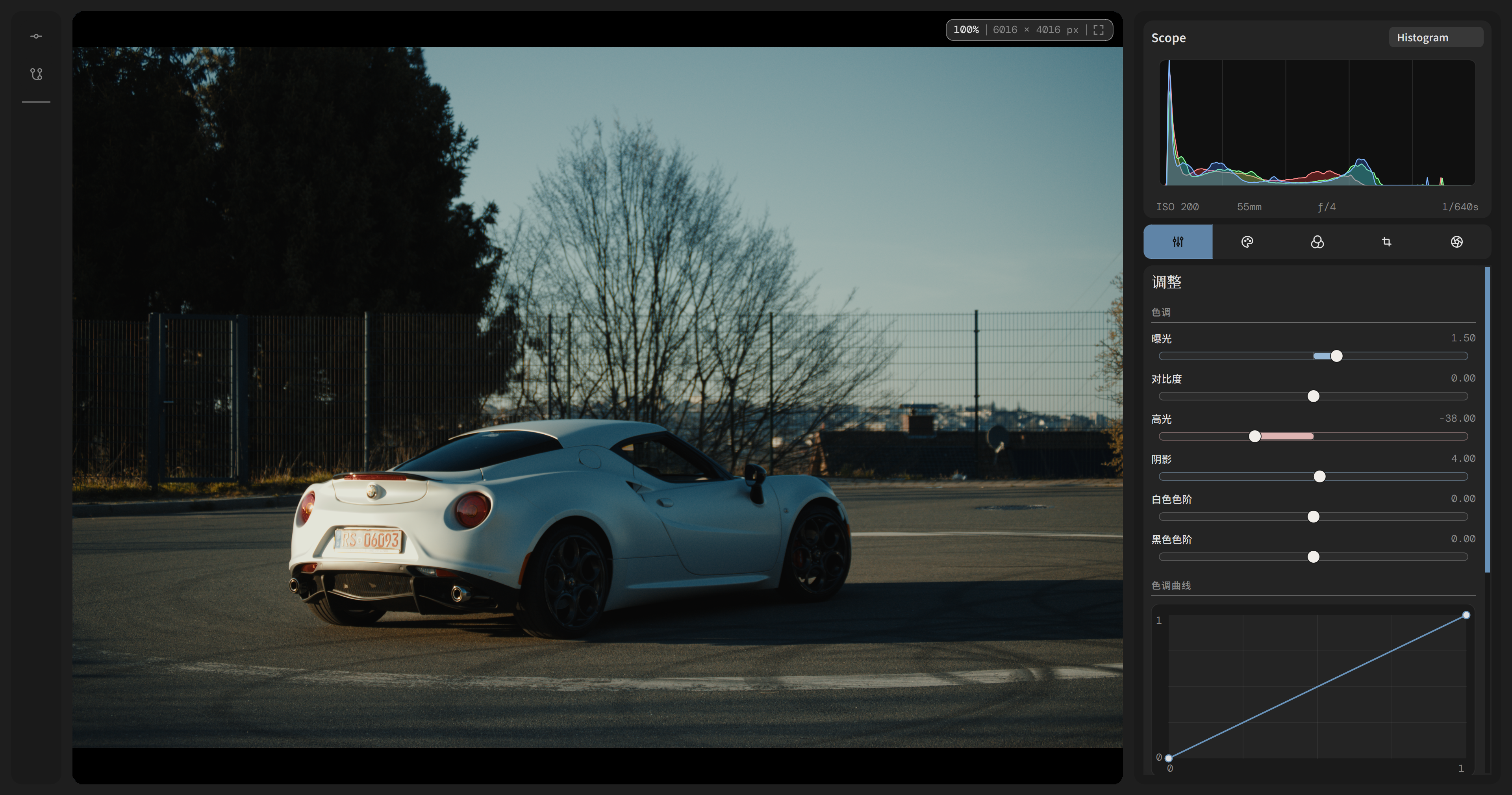
Branchable Edit History
An Edit History panel records every LUT, DRT, and tonal change. Undo, collapse, or branch from any prior state without losing your working edit.
Export Queue
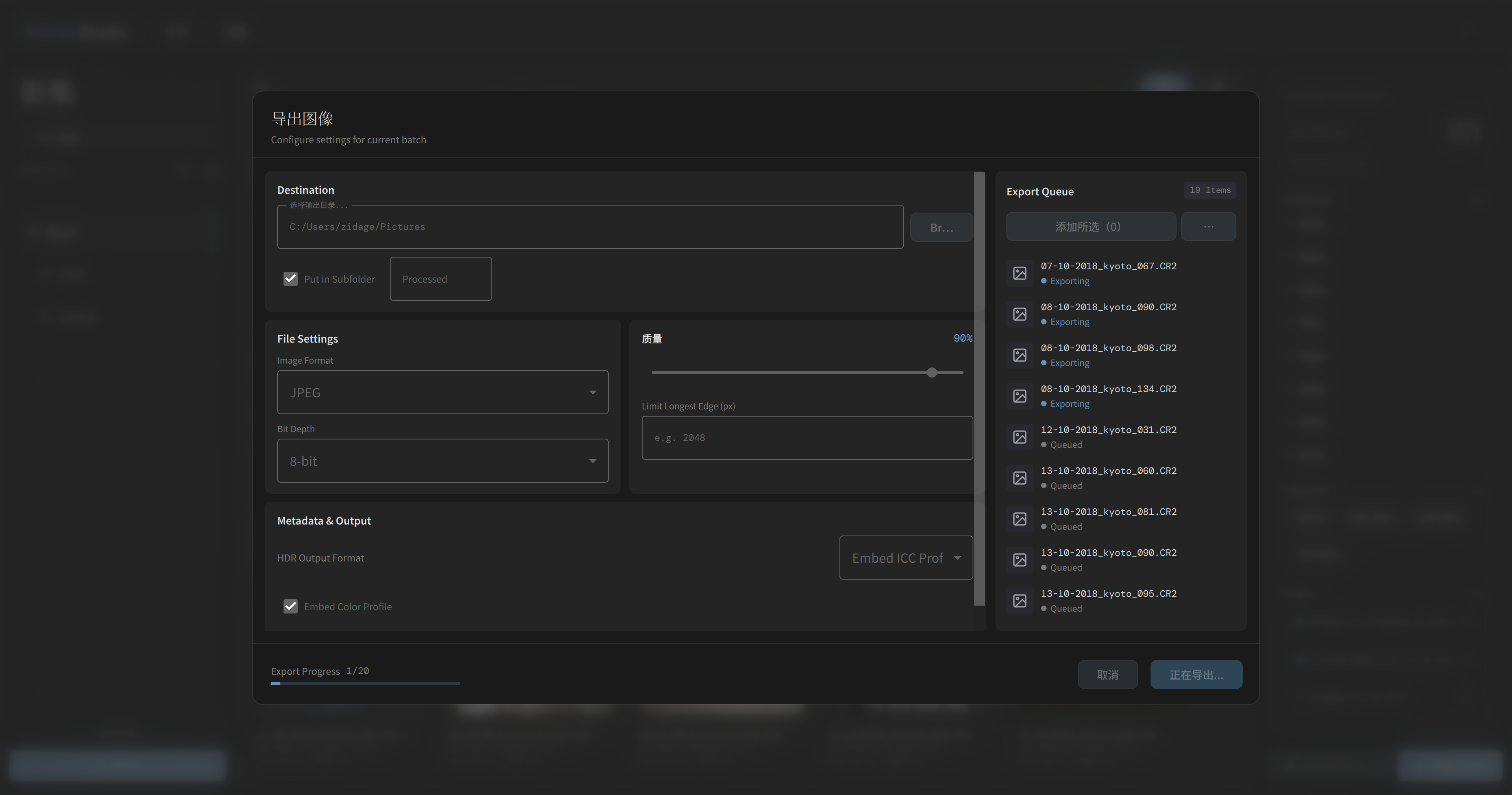
Queue multiple images for batch export with JPEG / PNG / TIFF / WebP formats, bit-depth and edge-length controls, colour-profile embedding, and a live progress indicator.
Roadmap
Recent milestones on main after v0.1.2, plus what is still ahead
v0.1.2 Shipped
- OpenDRT support and rendering-transform selection UI
- Project image deletion
- Filter UI improvements
- Core color-management fixes
Workflow Polish on main
- Reset adjustments in the editor
- Aspect-ratio selection
- Waiting animation for thumbnails
- Faster high-resolution camera loading
macOS / Metal Bring-up
- macOS compile support
- Initial Metal image processing
- Metal RAW processing utilities
- Metal resize and lens calibration
Metal Pipeline Integration
- Metal integrated into the pipeline
- Geometry pipeline fixes
- Shader compilation cleanup
- macOS packaging logic and follow-up fixes
Forward Path
- Preset export
- HDR workflow and output
- Semantic search and AI-assisted tagging
- Panorama integration
- Continued parity between Windows/CUDA and macOS/Metal
Built With
A cross-platform stack built around dedicated Windows/CUDA and macOS/Metal paths
Platform
Core
Imaging
Color
Storage
Lens & Metadata
Performance
Get Started
Build the current Windows/CUDA or macOS/Metal tracks from source
Latest stable
Alcedo Studio 0.2.2 · Windows x64
Contribute
Alcedo Studio is an open-source project and contributions are welcome. Open issues, submit pull requests, or share your ideas.